Midjourney Image Prompts
Visual Prompting Guide

We usually talk to Midjourney in words. But you can also prompt just with images, or with images and words together. And you can balance which has more influence on the result, the text or the images. In our previous article, we briefly touched on image prompts. In V8.1, image prompts work significantly better, so in this article we want to show you more examples, walk through how to work with them, and cover the different options you have for prompting with images.
Just images, no words
To use Image Prompts, you simply add your images to the corresponding section of the imagine bar. Let's start by blending two images together without any text prompt. We'll add only --hd to keep the result crisp and high quality, plus --ar 3:4 to set the orientation to portrait.

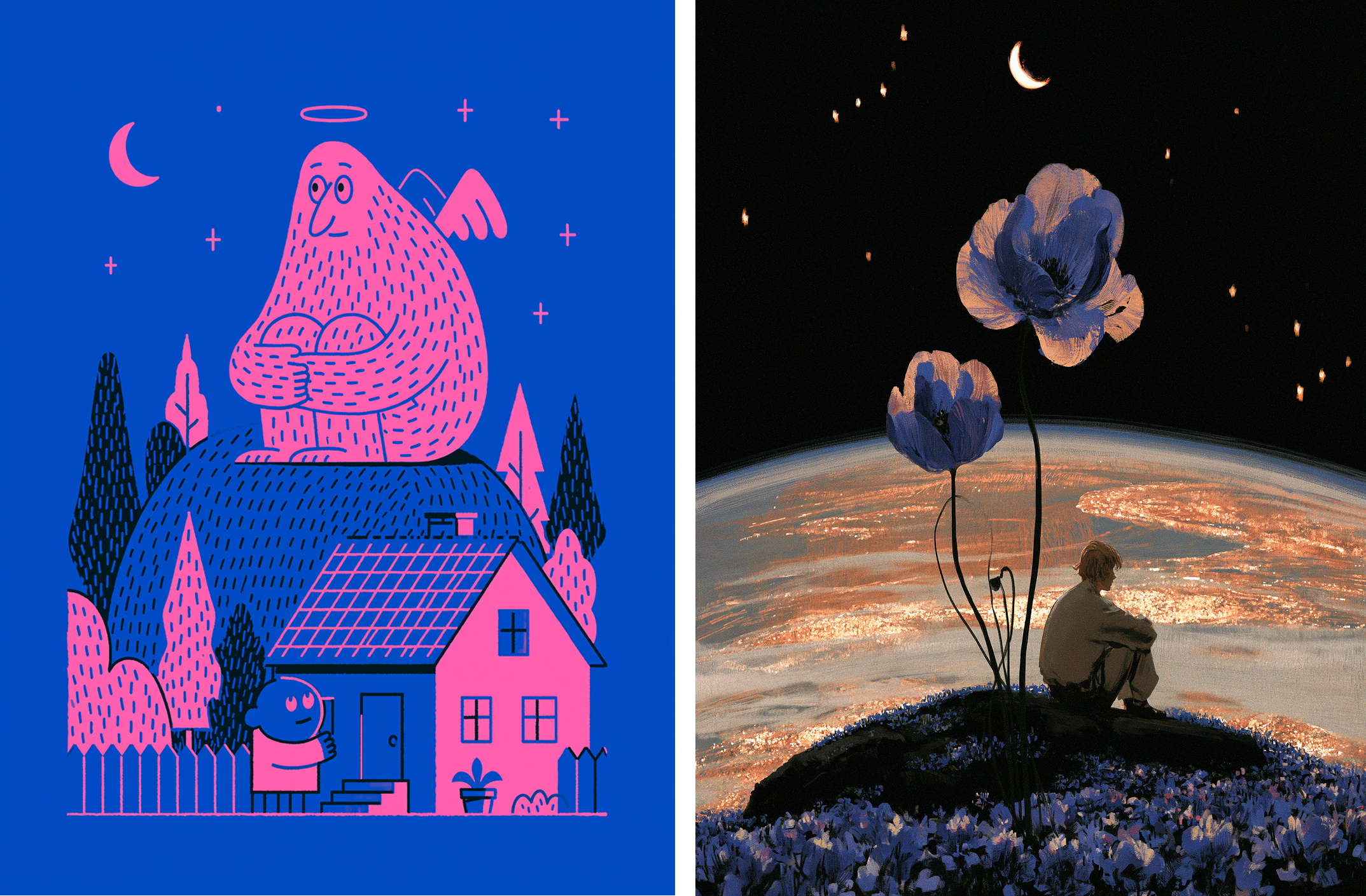
Source images:
Results:
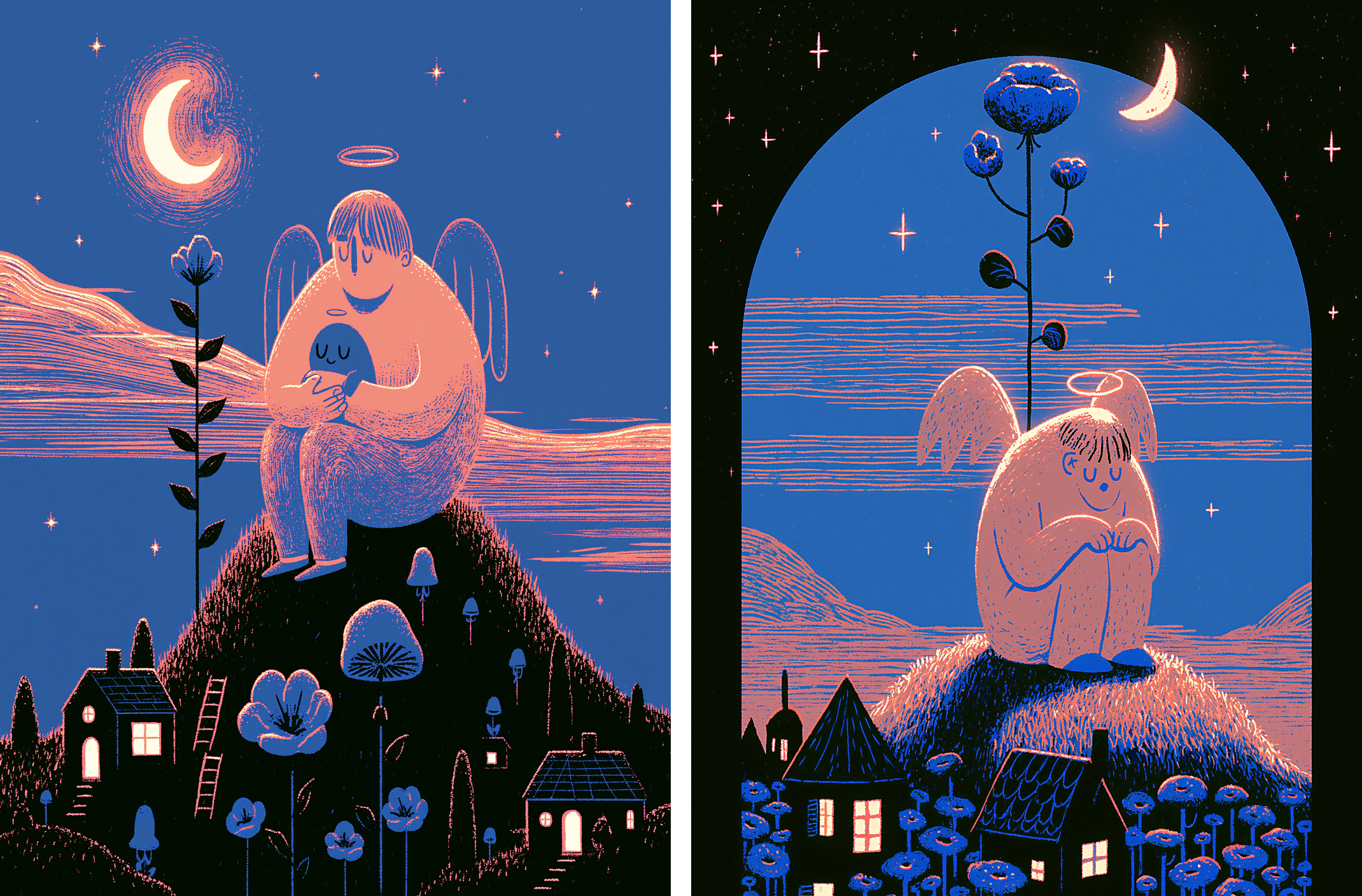
What's interesting is how Midjourney blends them. The first image is built from minimalistic outlines and lines, the second from more intense texture. The result borrows from both: the rich, textured look of the second image, but drawn with the clean lines of the first. The colors blend the same way, with both palettes mixed into one that works together.
Adding text, and tuning image weight
For the next step, let's use the same two images as Image Prompts, but this time we'll also add a text prompt. In the first experiment, the text is "a cat riding a fish." In the second, it's "a cow chewing grass."
When we add a text prompt, Midjourney has another variable to consider, and the training data behind those words affects the result more than the images do on their own.
To control the balance between the two, we use the image weight parameter (--iw). Image weight runs from 0 to 3, with 1 as the default and 3 as the maximum, and tells Midjourney how much the images should affect the result. The higher the value, the more the images shape the output.
To see this clearly, let's run each prompt at three --iw settings: 0.5, 1, and 3.
--iw 0.5
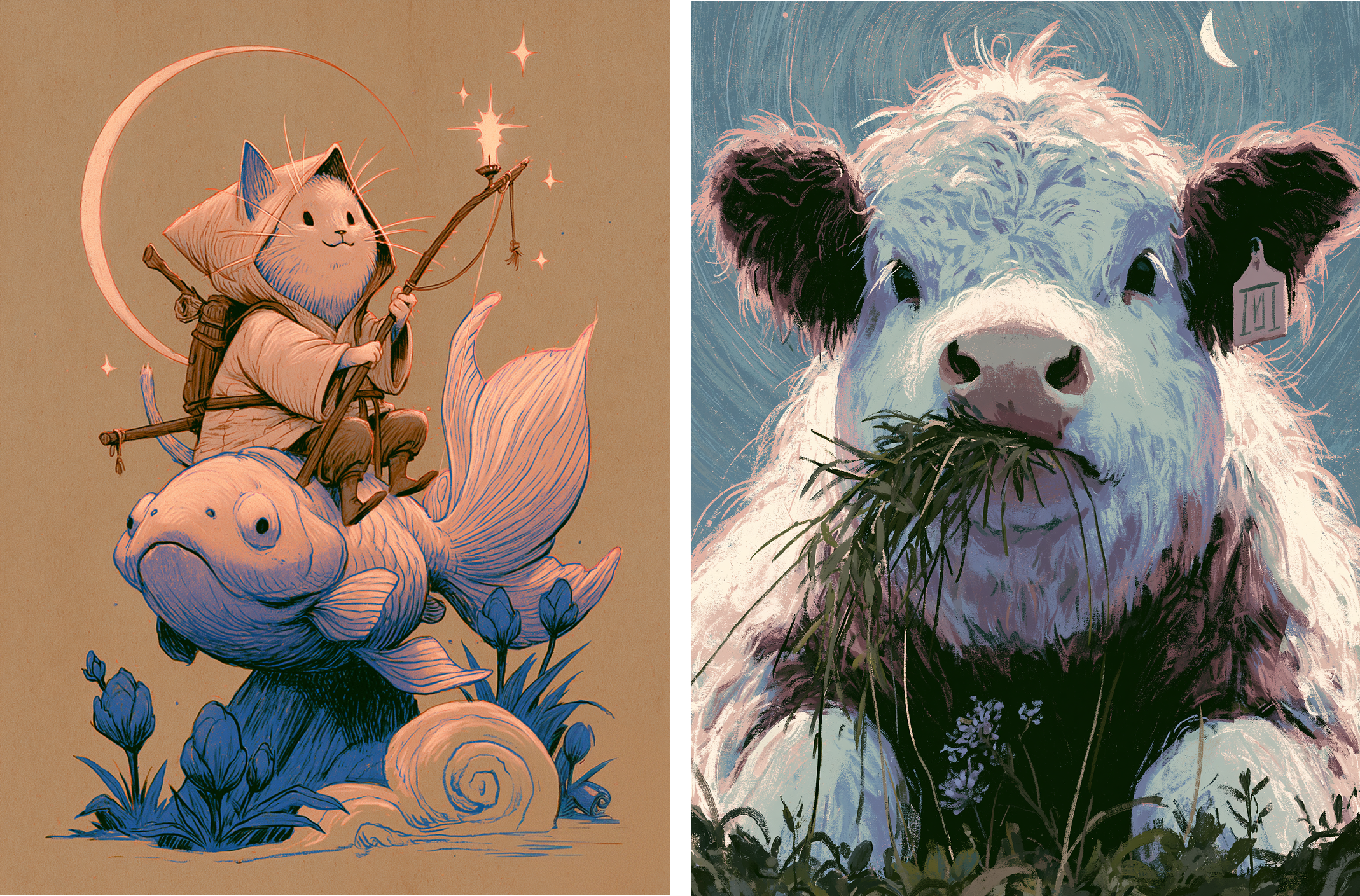
At --iw 0.5, below the default, the images barely register. The text prompt does most of the work, so the two prompts drift apart in style and don't feel like they belong together. Each result reads as its own one-off.
--iw 1 (default)
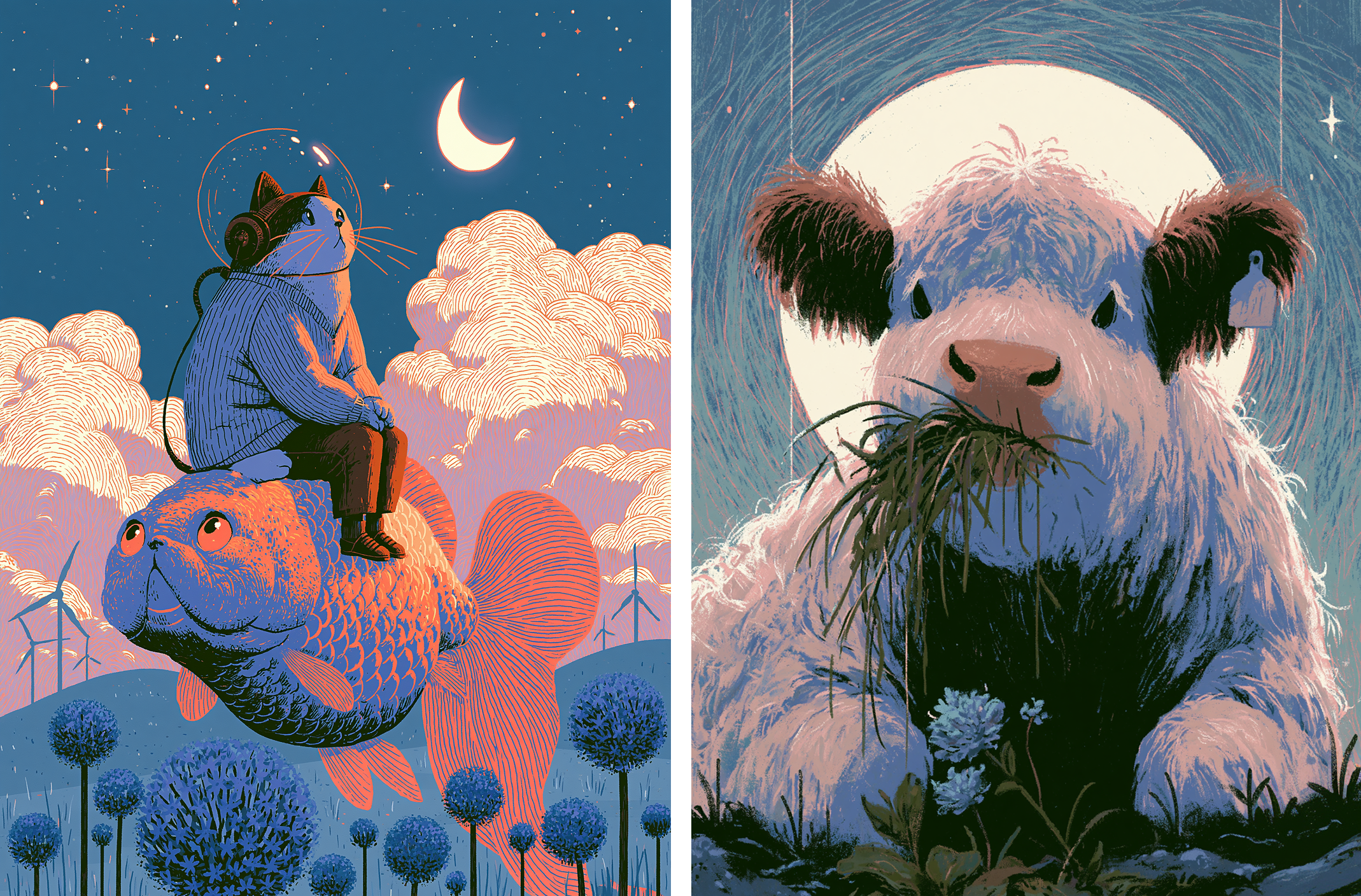
At the default of 1, the two forces balance out. Midjourney follows the text for the subject and composition, while the images quietly shape the style. This is the look you get without touching the parameter, and it's a sensible starting point for most prompts.
--iw 3 (max)
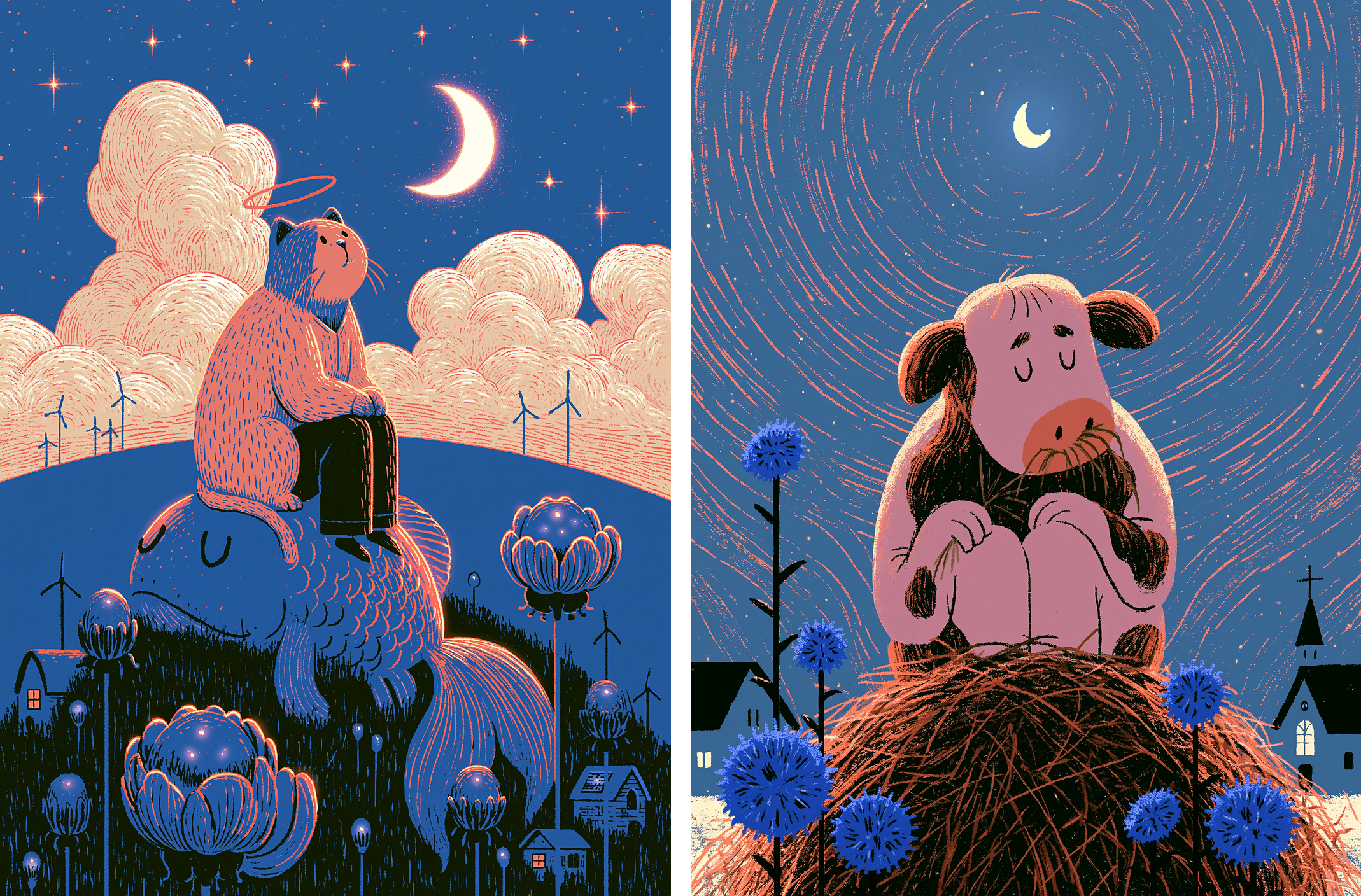
At the maximum of 3, the images take the lead, and they hand over more than style and color. Specific elements start to bleed through: the flowers, the moon, the grass, all lifted from the source images. The subject still follows our text, but everything around it locks to the look of the blend.
How is this different from a Style Reference?
If image weight at 3 already gives us a consistent style, how is that different from using the same images as a Style Reference (--sref)? Let's find out. We'll take the same two images, this time as a Style Reference, and run them across the same two prompts.

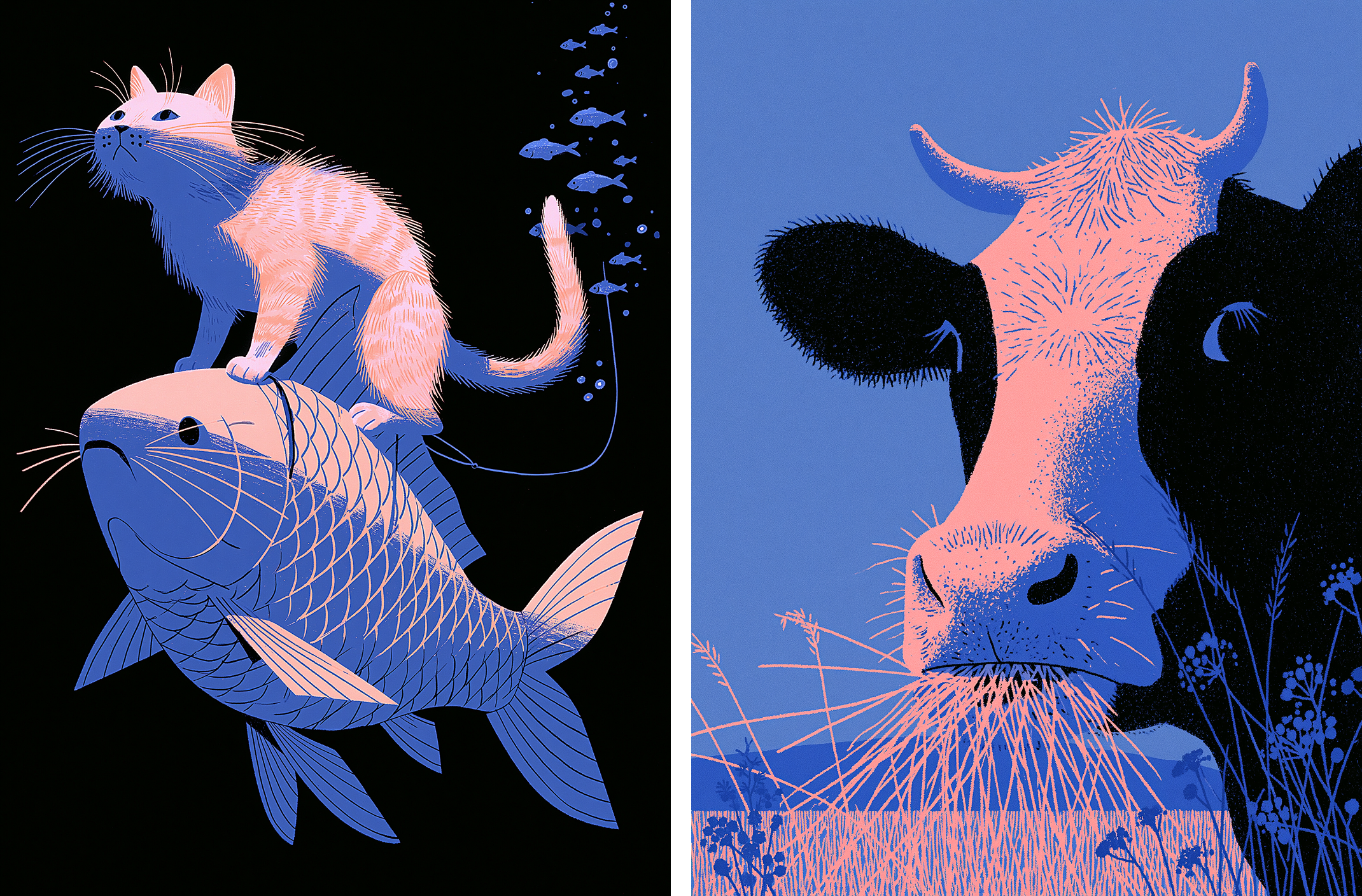
A Style Reference blends the two images into one coherent look, and across both prompts it stays even more consistent than Image Prompts do. But that comes at a cost: it carries the style and nothing else. The specific objects, the forms, the arrangement of the source images, the small touches like the flowers and the hill, all get left behind.
Image prompts pull ahead here precisely because they carry more layers. Run across different prompts, they hold onto not just the lines and the look, but the composition, textures and details too. So while a Style Reference gives you the cleanest, most unified result, Image Prompts give you something richer: a set of images that belong together down to the concrete details, not just the surface.
FAQ
Does the order of Image Prompts affect the result?
No. You can add them in any order; it makes no difference to the result.
How many images can be blended together?
Up to 20.
Can Image Prompts be combined with other parameters?
Absolutely. Image Prompts work alongside any other parameter, including Style References, whether you're using a code or images. Combining them often produces the most interesting results. You can also add the experimental parameter (--exp) to push for even more detail.
Can Image Prompts be used for character or object consistency?
No. Image prompts are a different feature, and they aren't built for keeping a specific character or object consistent.
What's the best use case for Image Prompts?
Prompting without words. Image prompts shine when you direct Midjourney with a batch of images rather than a description, which is closer to designing by vibe. The results come with richer textures and details, and while it can feel a little less controllable than spelling everything out, that looseness is exactly what helps it produce more unique, surprising images.
More Examples
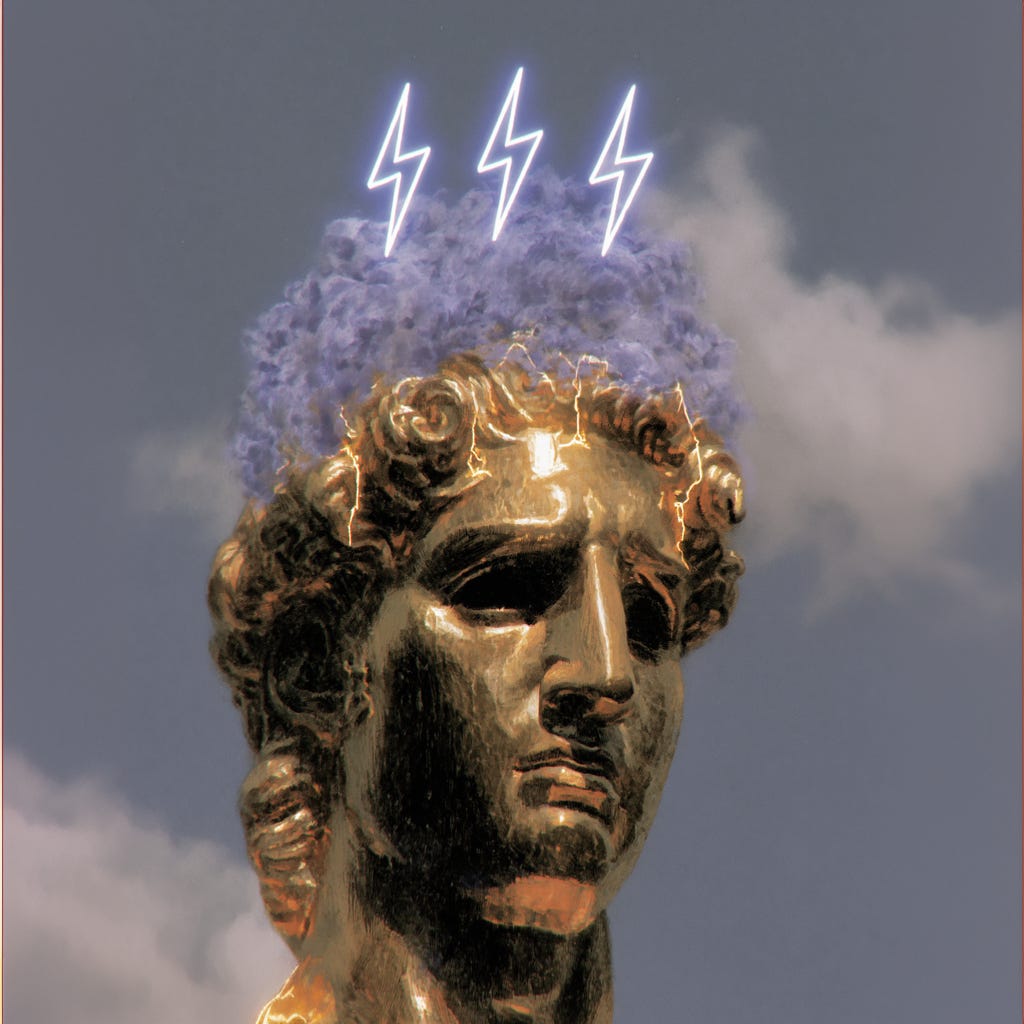
Prompt:
https://s.mj.run/VlFyvItujQs https://s.mj.run/GaM8BdVbyvE https://s.mj.run/U0Ta_c8UQOM https://s.mj.run/16QqYgRv95U https://s.mj.run/8ygXT7qxP6I https://s.mj.run/b-1rU9dG-sk https://s.mj.run/oVLCSslZIsA . --chaos 100 --ar 1:1 --exp 100 --sref 851056194::2 2307760849 3900319738 404769439 1227452270 2895978426 2713937193 3821403190 1195617614 2122842160 2296181731 781103674 2993108323 929403797 3739081437 3523880516 2271412330 --v 8.1
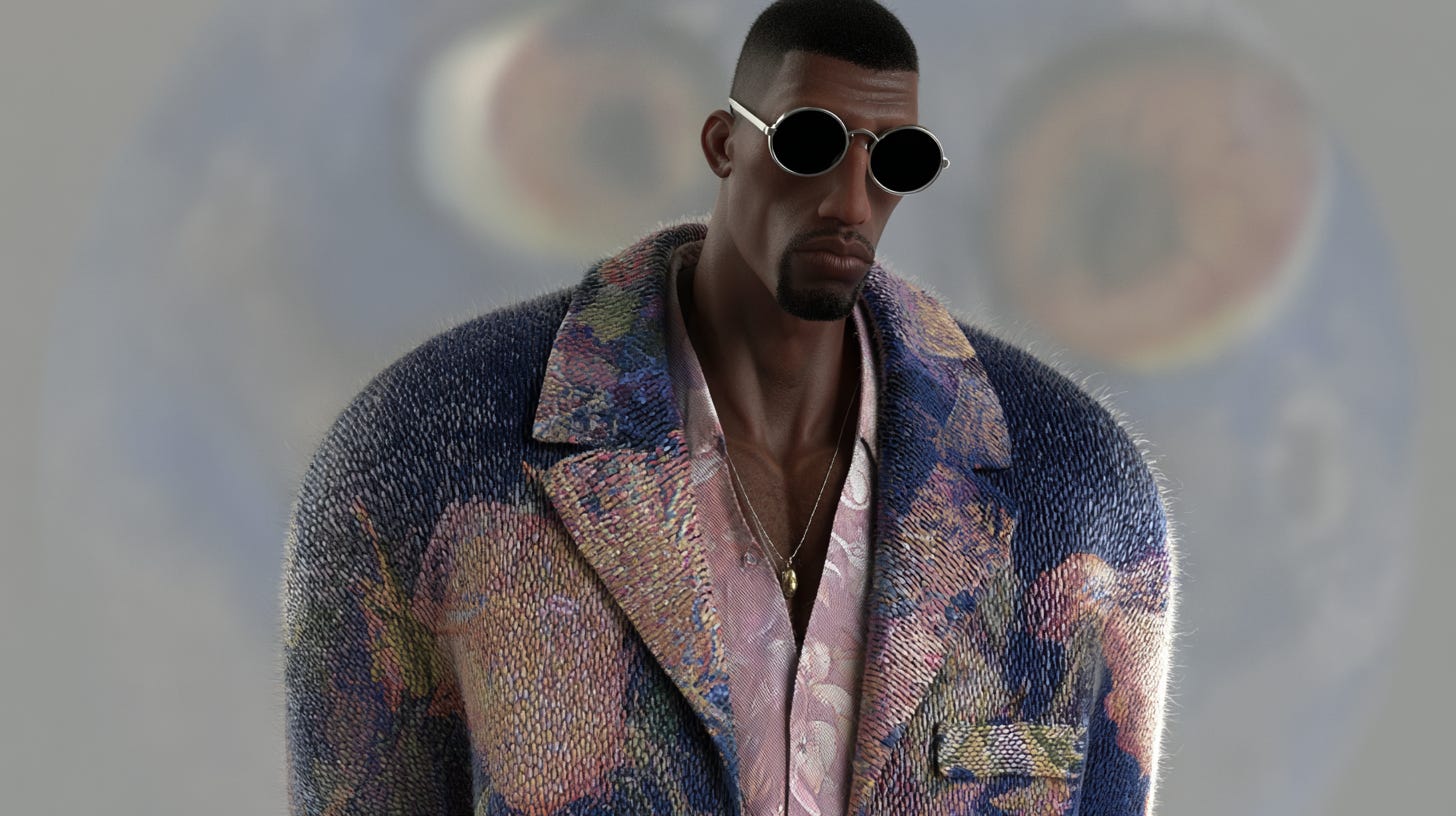
Prompt:
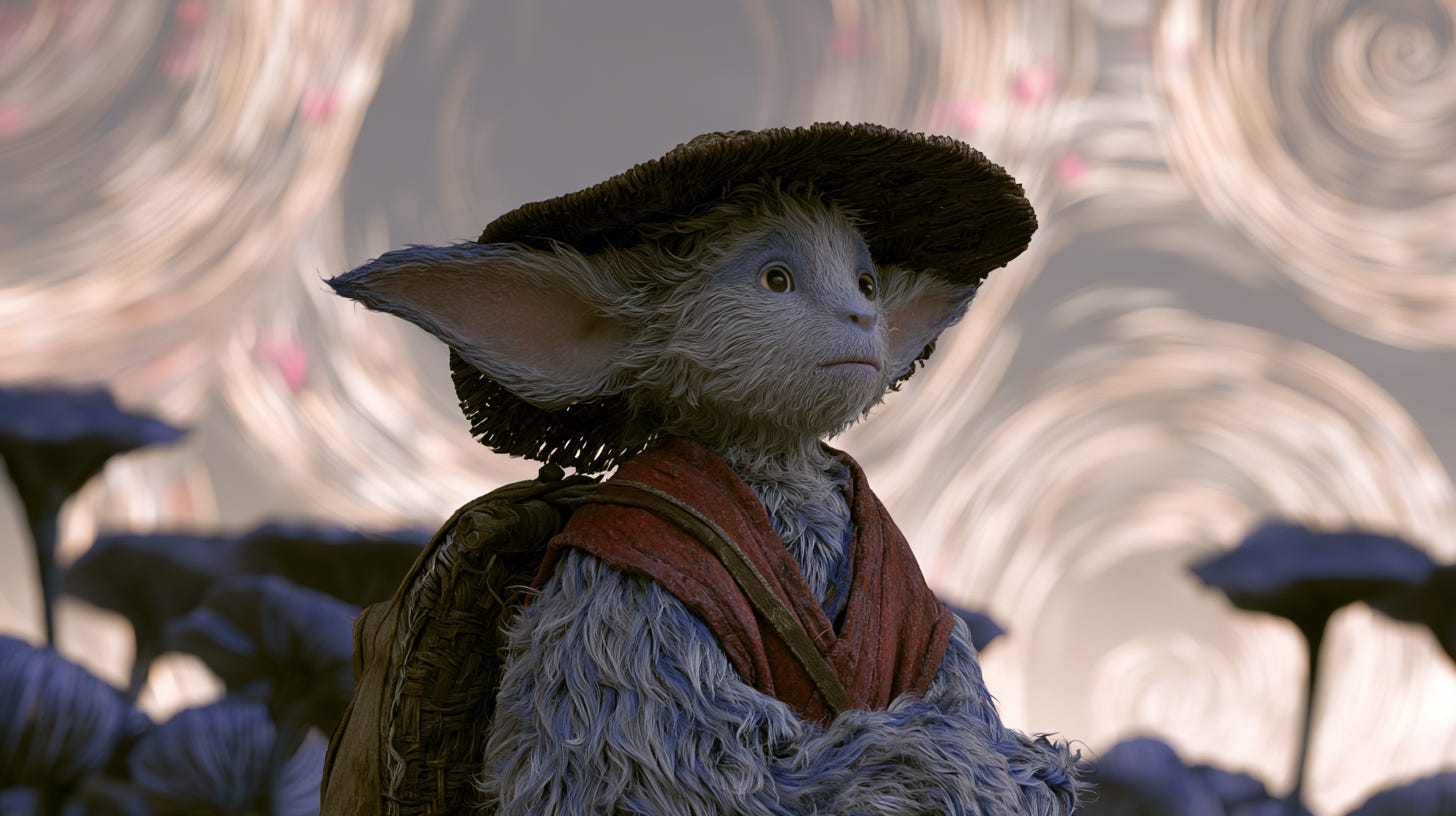
https://s.mj.run/VlFyvItujQs https://s.mj.run/GaM8BdVbyvE https://s.mj.run/U0Ta_c8UQOM https://s.mj.run/16QqYgRv95U https://s.mj.run/8ygXT7qxP6I https://s.mj.run/b-1rU9dG-sk https://s.mj.run/oVLCSslZIsA character --chaos 100 --ar 16:9 --exp 100 --sref 851056194::2 2307760849 3900319738 404769439 1227452270 2895978426 2713937193 3821403190 1195617614 2122842160 2296181731 781103674 2993108323 929403797 3739081437 3523880516 2271412330 --v 8.1
Prompt:
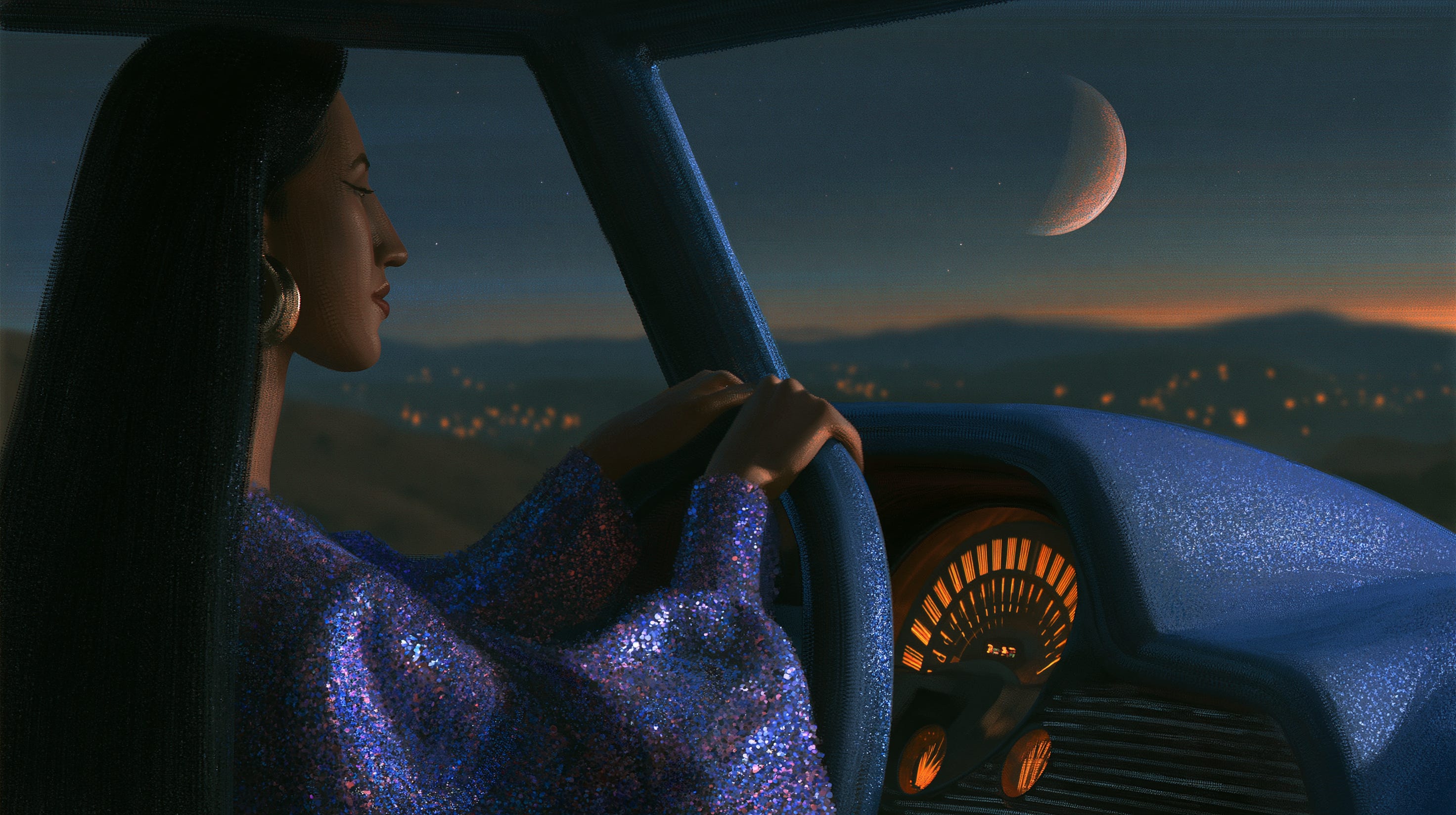
https://s.mj.run/4STiXLntoAo https://s.mj.run/cpW3IxJDu1s https://s.mj.run/hheJL7TxxkM https://s.mj.run/IB97wCljFuc https://s.mj.run/v1nS36wzPYw https://s.mj.run/rBOlgTCKVwA https://s.mj.run/dc9UNJfzCdA movie still, character --chaos 20 --ar 16:9 --v 8.1
Prompt:
https://s.mj.run/VlFyvItujQs https://s.mj.run/GaM8BdVbyvE https://s.mj.run/16QqYgRv95U https://s.mj.run/8ygXT7qxP6I https://s.mj.run/b-1rU9dG-sk https://s.mj.run/oVLCSslZIsA feel --chaos 100 --ar 16:9 --exp 100 --sref 851056194::2 2307760849 3900319738 404769439 1227452270 2895978426 2713937193 3821403190 1195617614 2122842160 2296181731 781103674 2993108323 929403797 3739081437 3523880516 2271412330 --hd --v 8.1
Happy prompting ✨
Get more prompts and styles here.