Sref Codes, Image Style References, Moodboards in Midjourney — What’s the Difference?
Comparison with Examples

What’s the difference between Sref Codes, Image Style References, and Moodboards in Midjourney?
Sref Codes
An Sref code is where things get more powerful. It represents a saved style that Midjourney treats very strongly.
The influence is heavier than with normal style references.
It affects objects, materials, and textures in your generations more strongly.
So, we’ll start our experiment with an Sref code: --sref 2926058549 and a simple prompt: cat --ar 9:16 --sref 2926058549 --sw 1000
I used --sw 1000. This is the style weight parameter. Since 1000 is the maximum value, the Sref code had a strong influence on the results.
Results:
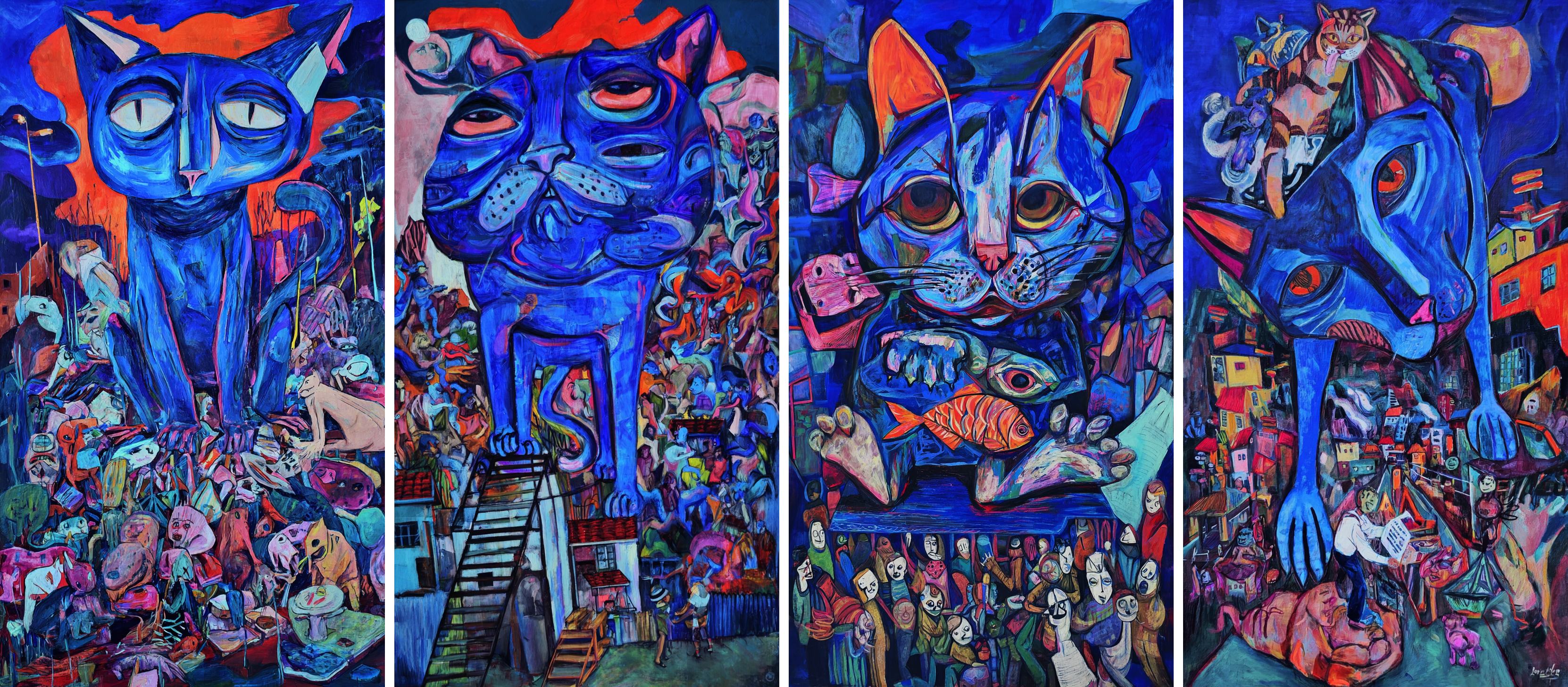
Image Style References
If you want to use one or more images as a style reference, just drag and drop them into the prompt bar. Midjourney will copy the style from each image and blend them into one look.
To continue our experiment, I used the four images we generated in the previous step as style references with the same prompt, but without an Sref code:

Results:
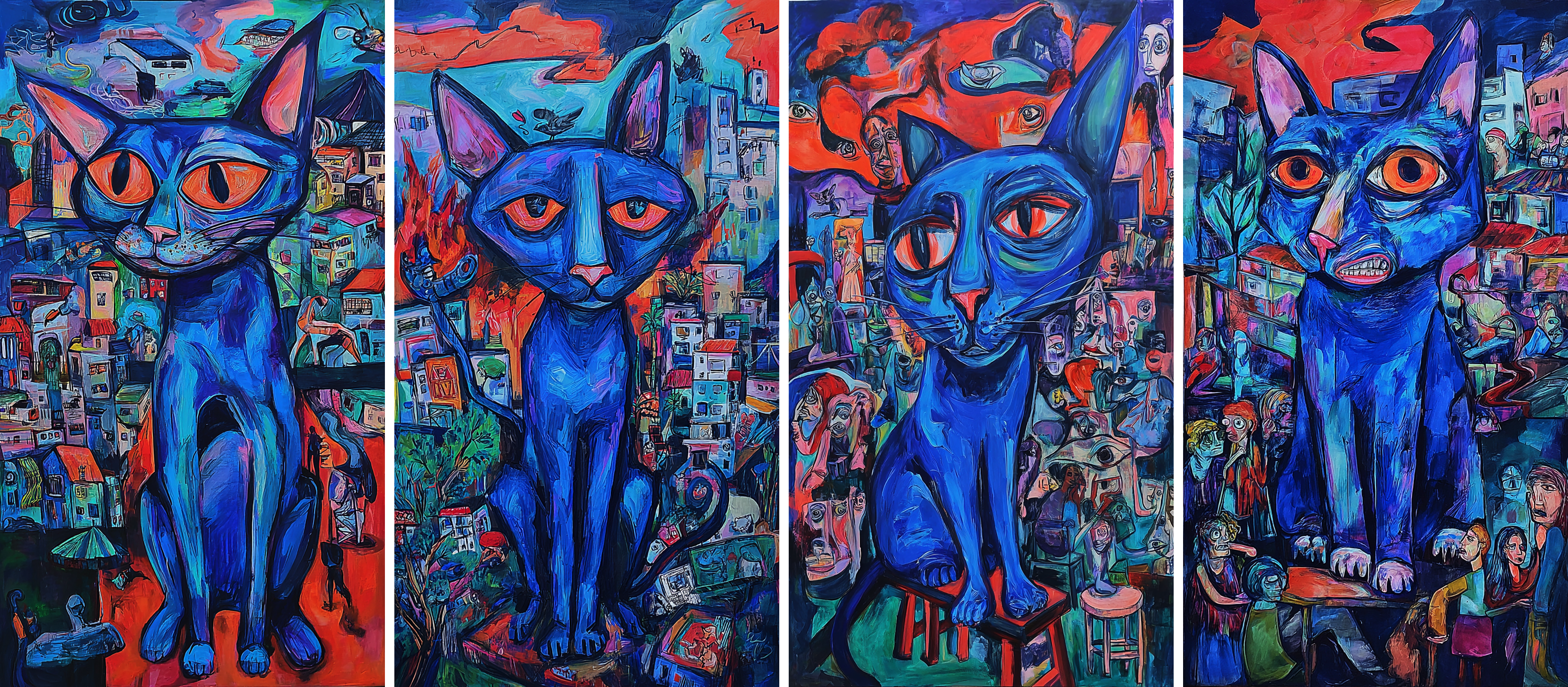
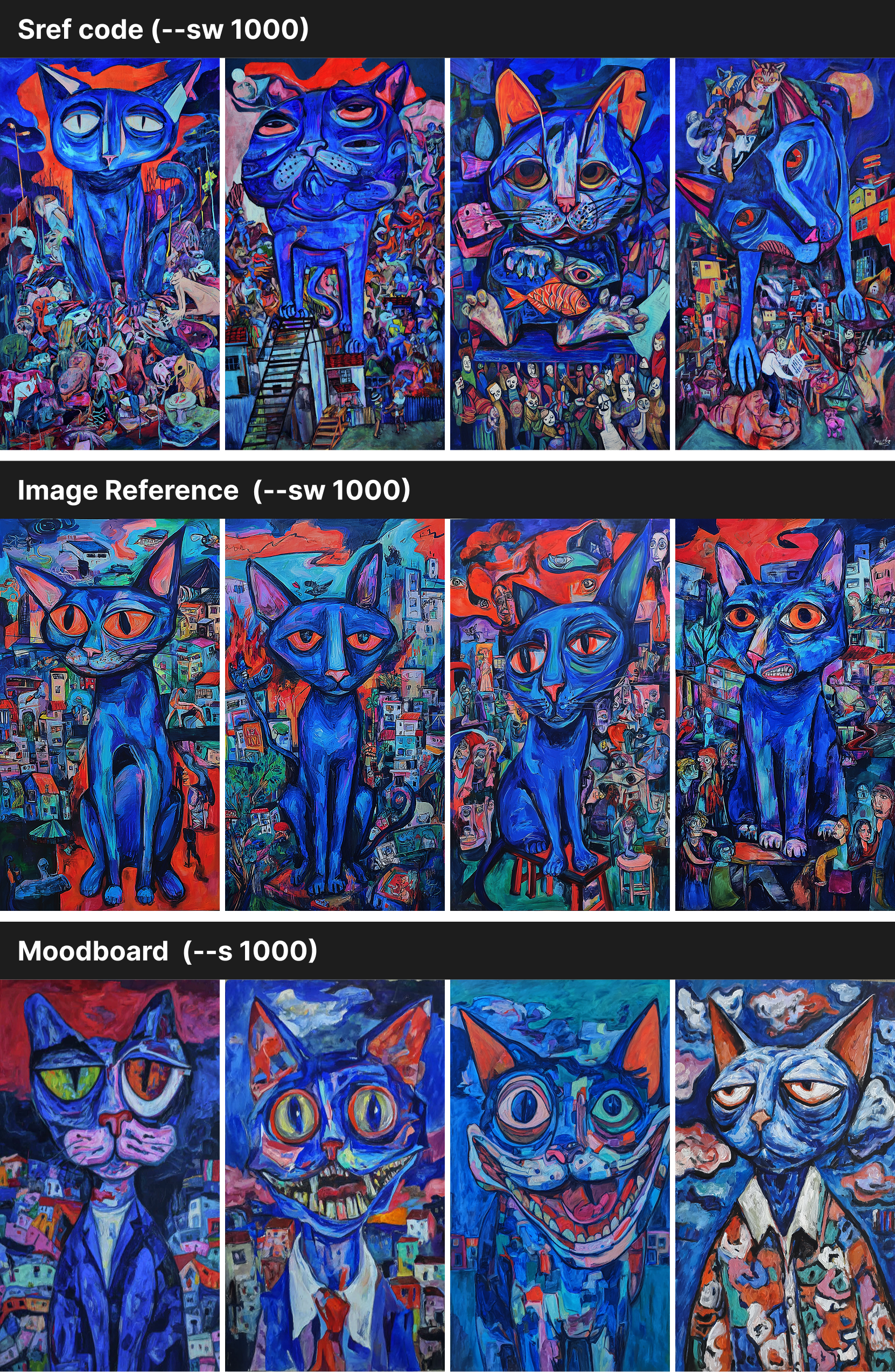
Midjourney blended all four images into one style, so the cats look almost the same across the grid. With an Sref code, the results came out richer — the cats had more variety in shape, with extra details in both the cats and the backgrounds. The colors and overall feel, though, still stayed close to the original style.
Moodboards
Moodboards are a step bigger. Instead of pulling style from one or two images and blending them into one look, you give Midjourney a curated collection.
The AI doesn’t lock into one single style.
Instead, it pulls a variety of styles from across your moodboard.
I created a new moodboard and added the same four images from step 1. Then I tested the prompt with our moodboard code. When working with moodboards, the --s parameter controls their influence. So instead of --sw 1000, I used --s 1000 in my prompt.
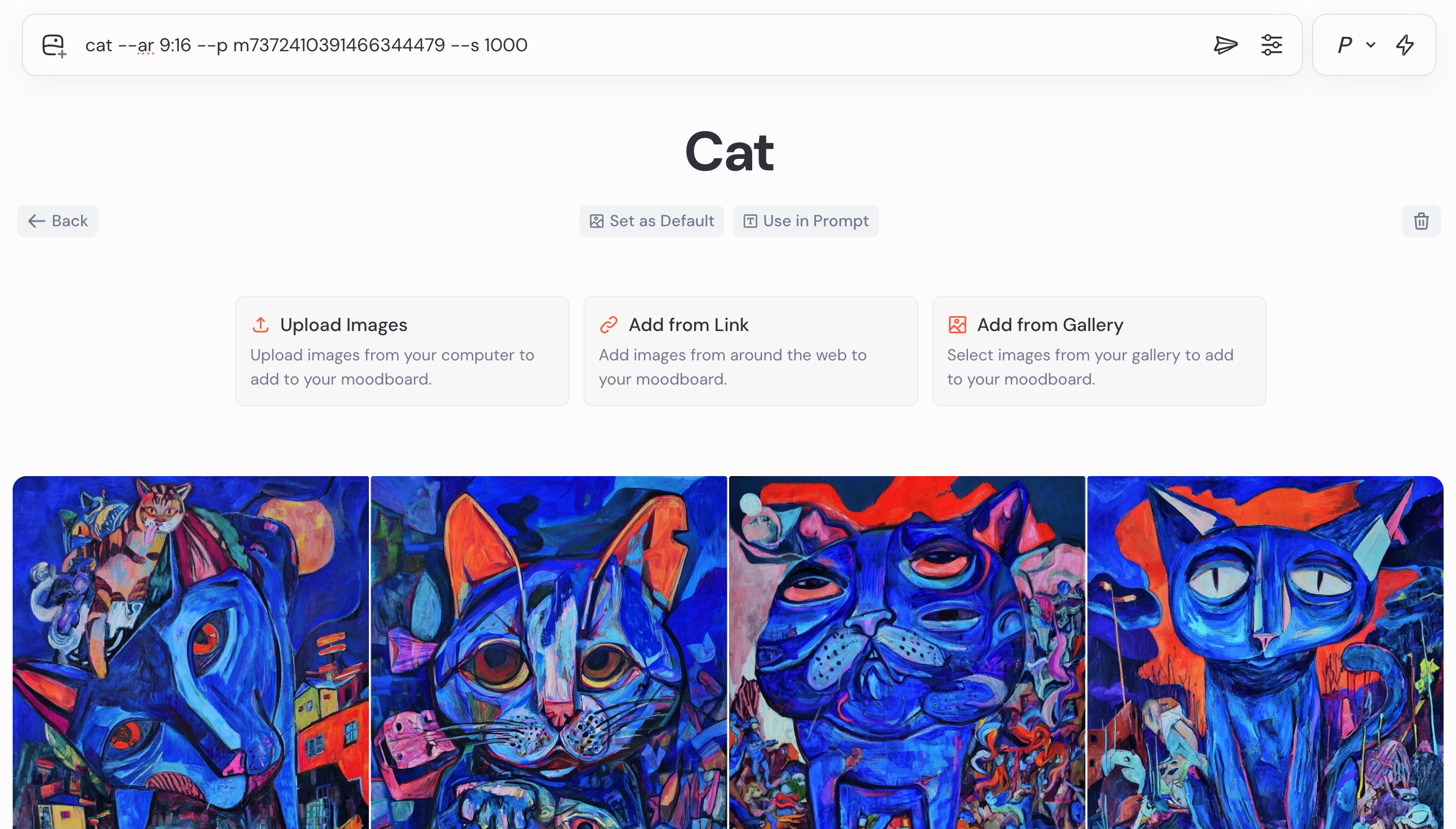
Results:
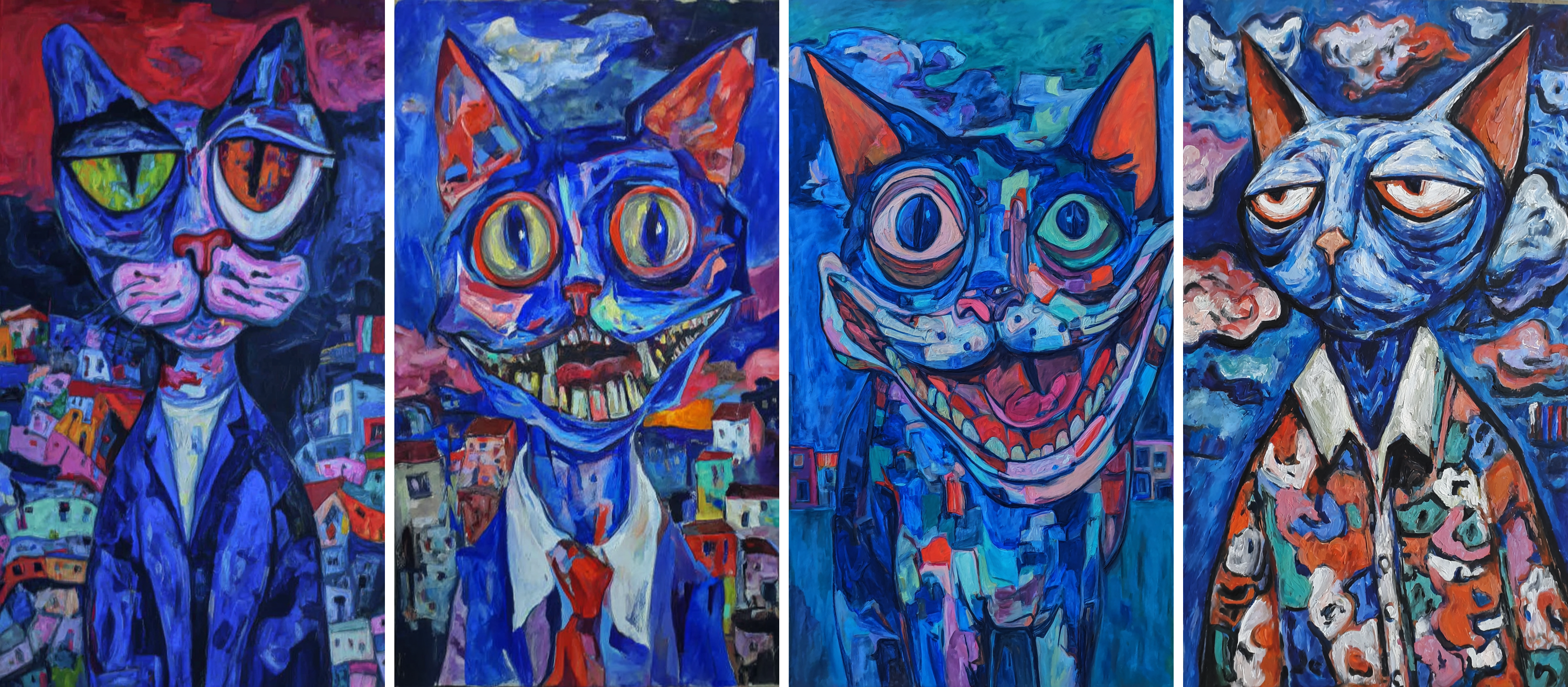
We see a good variety of different cats, and the overall colors and style stay close to our source images. However, the details drift even further compared to our previous example with style reference images.
Now, let’s add more different styles to our moodboard:
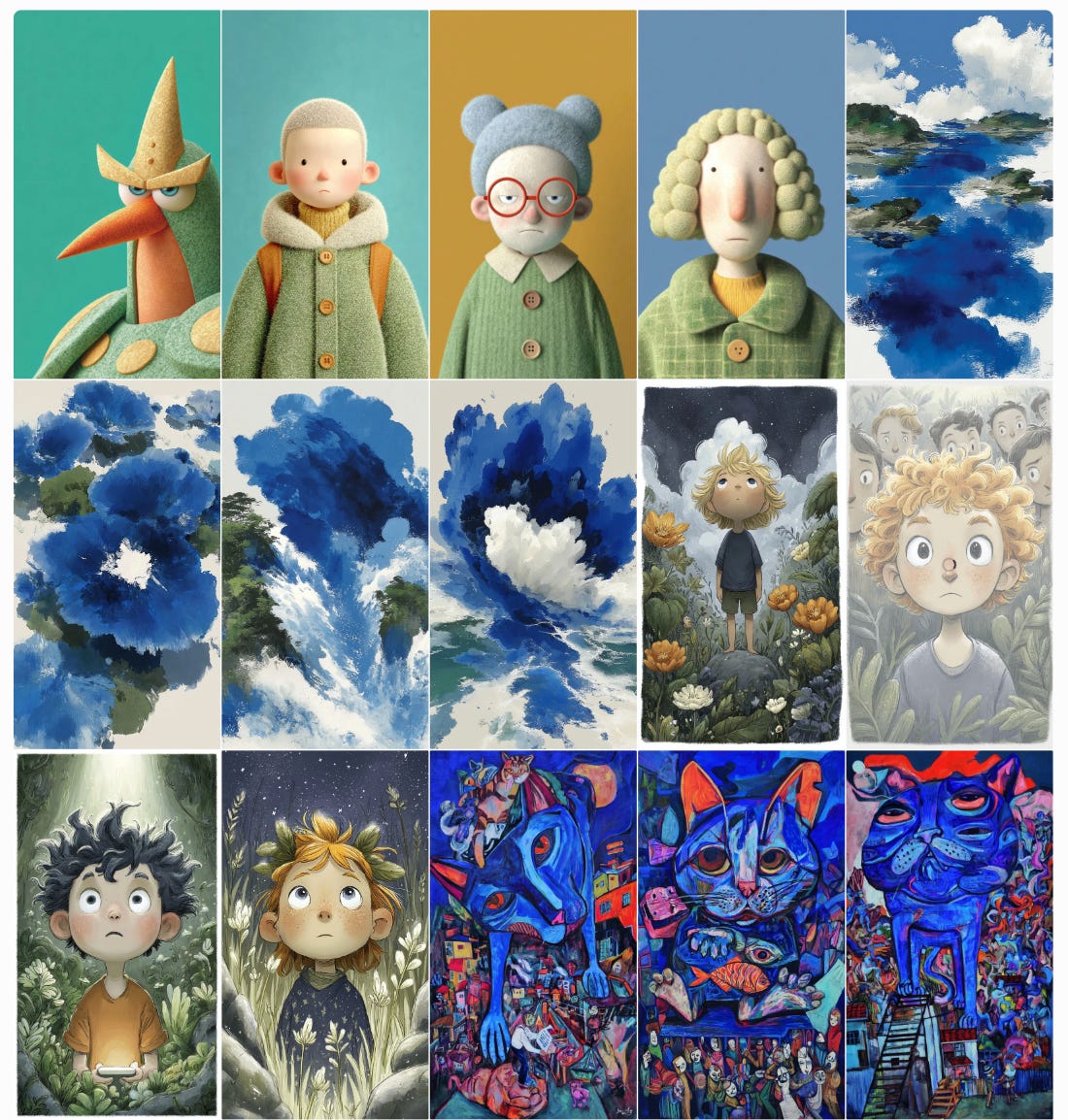
Then run the same prompt one more time: cat --ar 9:16 --p m7372410391466344479 --s 1000
Results:
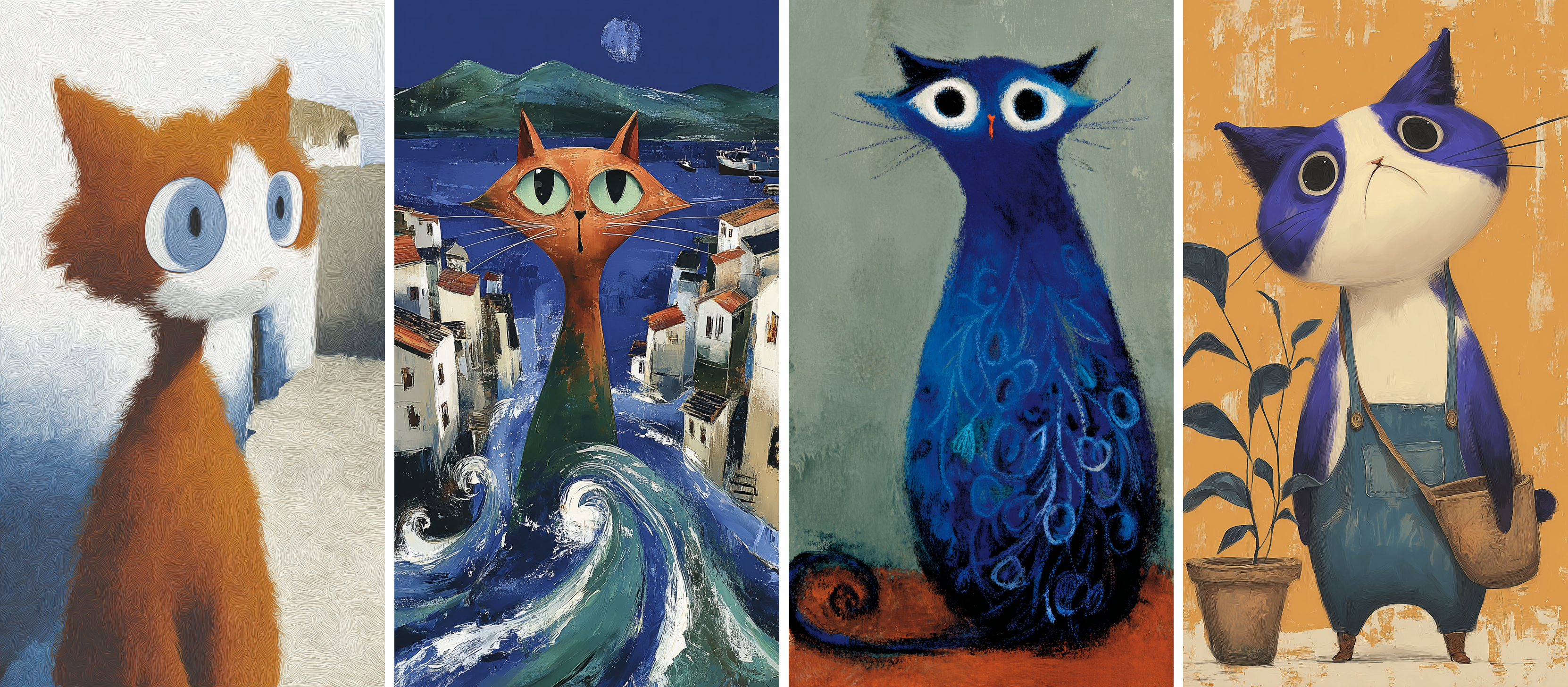
As you can see, the results are inspired by the images we added to our moodboard, but they aren’t blended into a single style. We get a variety of colors, shapes, and details — yet they all share the same overall mood.
Now, let’s compare the results side by side one more time (parameters --s 1000 / --sw 1000):
Finally, let’s test all three features again, but this time with the default style weight: --sw 100 and --s 100.
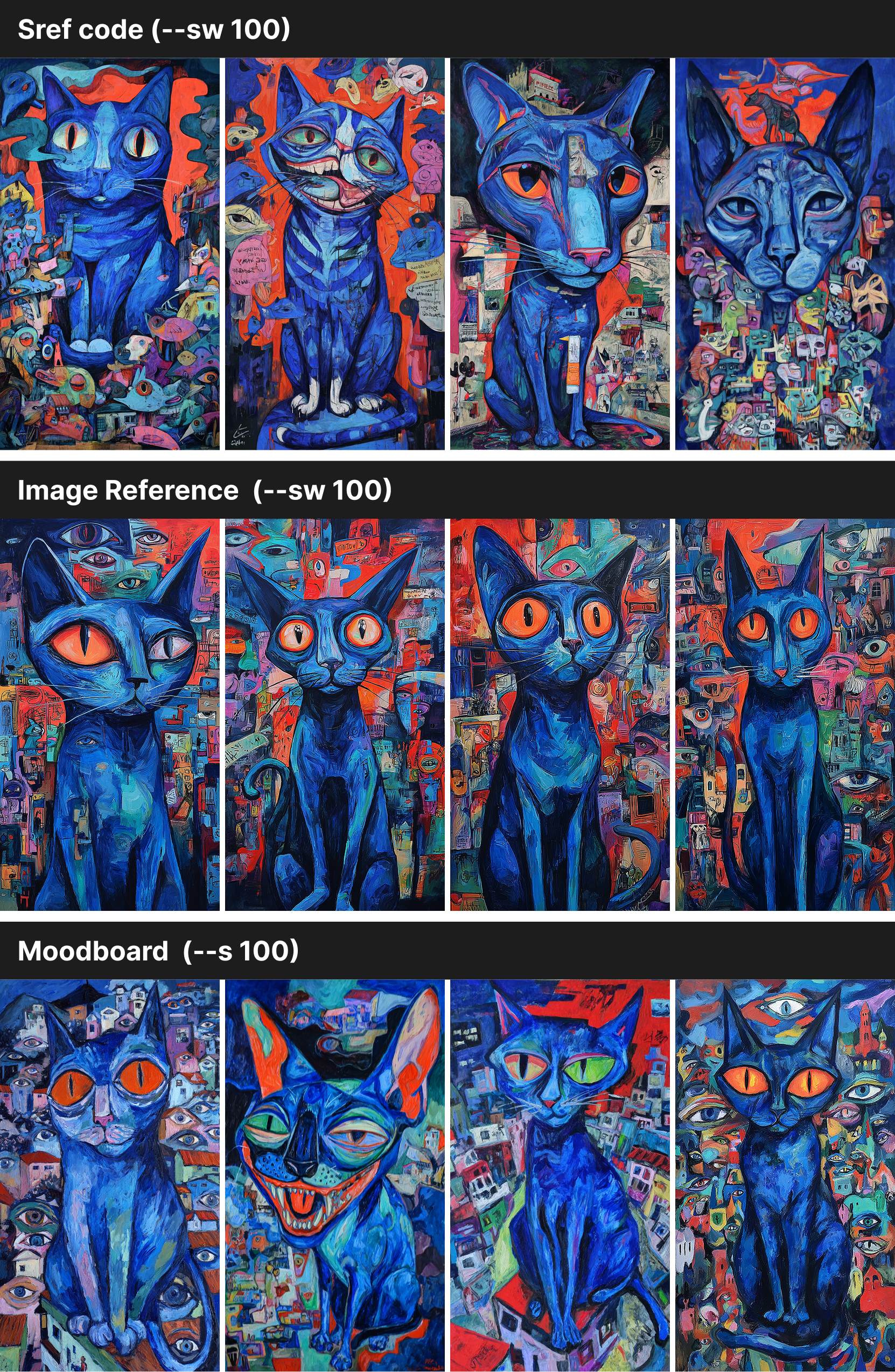
The differences are less prominent with the default settings, but they’re still noticeable.
Conclusion
Each of these features is useful, but for different scenarios:
Use Style References when you’ve got one or two images and want Midjourney to merge their look into a single style. It’s quick, flexible, and great for fast experiments.
Use Moodboards when you want a whole project or theme to stay consistent but not identical. Perfect for branding, storytelling, or when you want variety within one overall mood.
Use Sref Codes when you need strong consistency and control. They push style harder than other options, shaping not just mood but also objects, textures, and backgrounds.
👉 If you want variety, start with a moodboard.
👉 If you want blended inspiration, drag images into the prompt bar.
👉 If you want maximum consistency, reach for SRef codes.
In practice, the best results often come from mixing all these tools.
thanks! that is ultra clear.
You presented and described it very neatly, Tatiana.
High five!